
SERP Empire vs CTRTool: Session Duration for CTR Campaigns
You are comparing two CTR tools and the deciding detail is how long each visit stays on the page. A click that bounces in seconds tells a different story than a session that lingers, and the gap between the two tools on that point is where campaigns either hold up or fall apart.
This article gives a direct verdict on SERP Empire versus CTRTool for session duration, then lays out how each handles visit length and click paths. You will see how screenshot proof, campaign types across Search, Maps and AI Overviews, and pricing stack up so you can pick the tool that fits your campaign.
Quick Verdict: SERP Empire vs CTRTool for Session Duration
If session duration is your primary metric, CTRTool wins on verifiable proof of visit length and path control, while SERP Empire competes on broader traffic-generation volume. CTRTool builds its campaigns around measurable visit depth, with screenshot proof for every visit and full visit paths you can inspect afterward. SERP Empire is generally positioned around wider traffic generation, so its session-level verification is less clearly documented in public materials.
For a CTR campaign, session duration matters because it feeds directly into user engagement signals and session quality. A click that lasts a few seconds and bounces tells analytics very little. A visit that spans minutes and touches several pages carries more weight as a behavioral signal, which is why control over visit length and internal navigation is worth comparing carefully.
CTRTool's verified setup supports visits up to 5 minutes with up to 5 additional internal pages. That structure lets you shape time on site and page views rather than leaving duration to chance. Keyword positions are also tracked over time, including Maps listing order and AI citation order, so you can watch search rankings alongside engagement metrics.
The table below compares the criteria that matter most for session duration work. CTRTool's column reflects verified facts. SERP Empire's column stays general because its public details on these points are limited.
| Criteria | CTRTool | SERP Empire |
|---|---|---|
| Session duration control | Visits up to 5 minutes with up to 5 additional internal pages | Traffic generation focus; session-level duration controls not clearly documented publicly |
| Proof of visit | Screenshot proof for every visit, with search and landing screenshots as separate proof images; full visit paths | Verification approach not clearly specified in available information |
| Campaign types | One credit balance shared across all campaign types, websites and keywords; up to 100 campaigns with 100 keywords each | General traffic-generation offerings; specific campaign structures vary and are not detailed here |
| Pricing transparency | Pay-for-results credit model; no credits charged for technical failures before landing; visits that cannot verify the requested location use no credits; unused credits roll over while subscribed | Pricing structure not confirmed; check current provider terms directly |
The practical takeaway is simple. If you need to show that a visit actually lasted and went somewhere, CTRTool's screenshot proof and visit paths give you evidence to review. If your priority is raw traffic volume across a broad range of sources, SERP Empire may appeal on breadth, though its session-level controls are harder to confirm from public information.
One fair trade-off to note: CTRTool's model is built around structured, verifiable visits, so campaigns are shaped by those parameters rather than open-ended traffic volume. For readers optimizing dwell time and time on site, that structure is the point, not a limitation.
At a glance: how CTRTool compares to SERP Empire on the features that matter most.
| Feature | CTRTool | SERP Empire |
|---|---|---|
| Pricing | $59-$699/mo | — |
| Free plan / trial | ✗ | Free to start |
| Search engines supported | Google, Bing, Maps, AI Overviews | Baidu, Google, Yahoo |
| Campaign types | Search, Maps, AI Overview | Standard & GMB |
| Automated 24/7 campaigns | ✓ | ✓ |
| Keyword setup (manual/auto) | Manual keywords | Auto-discovery or manual |
| Results tracking | Screenshots + positions | Traffic tracking |
| Support contact | vaibhav@autoblogging.ai | support@serpempire.com |
What Is CTRTool?
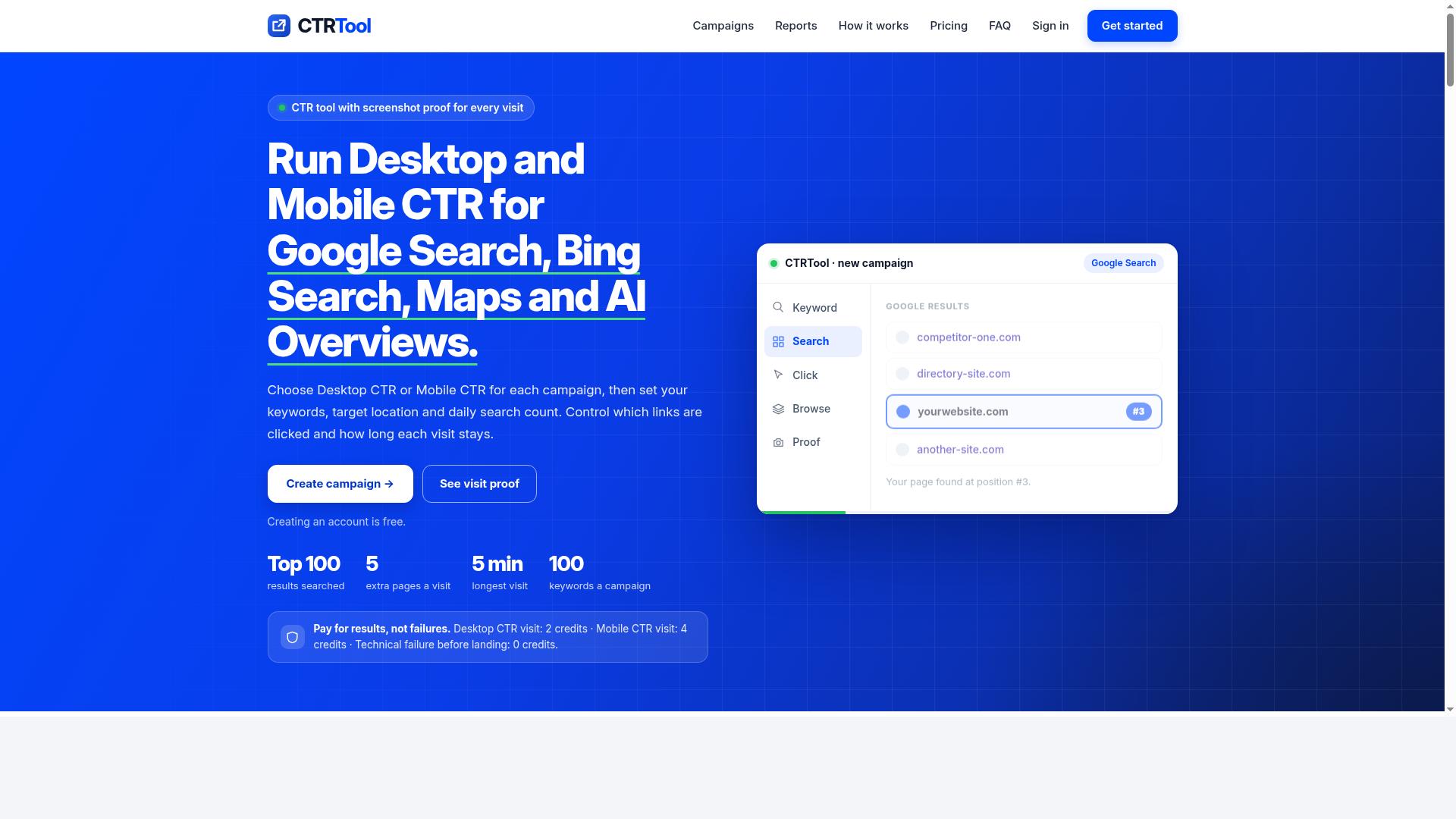
CTRTool is a CTR campaign tool that runs Desktop and Mobile CTR campaigns for Google Search, Bing Search, Maps, and AI Overviews, with screenshot proof for every visit. That proof mechanism matters for session duration work because it gives you a verifiable record of each visit rather than a number you have to take on faith.
Users pick Desktop CTR or Mobile CTR per campaign, which keeps device targeting clean. You also set keywords, a target location, and a daily search count. Locations can be narrowed to chosen countries, states, or cities, or left as Any country when you want broader coverage.
Beyond targeting, CTRTool lets you control which links are clicked and how long each visit stays. The duration control is the piece that connects directly to session duration, because you decide the visit length instead of accepting whatever a default script produces.
The brand is upfront about limits. The site states plainly: "Automated visits do not guarantee rankings." That honesty is worth noting when you compare tools, since session duration feeds behavioral signals that influence search rankings indirectly at most.
What Is SERP Empire?

SERP Empire is a traffic-generation and CTR-focused SEO tool that, according to its public materials, aims to simulate organic user behavior to influence search rankings. It is generally associated with CTR campaigns and behavioral signals rather than with traditional on-page optimization or keyword research.
The tool is typically described as sending visits to a target page so that a SERP listing appears to earn steady user engagement. Vendors in this category usually frame the goal as stronger behavioral signals that may support keyword ranking over time.
Because such claims are marketing statements rather than independently confirmed outcomes, readers should verify them directly on the vendor's site. Details around session duration, traffic sourcing, and reporting vary widely across tools in this space.
For the purposes of this comparison, SERP Empire represents the broader class of traffic generation platforms built around CTR manipulation. The key question for any buyer is how well a tool controls the length and quality of each visit, since that is what separates a useful signal from noise.
Features Compared
This section compares CTRTool and SERP Empire across three dimensions that directly affect session duration outcomes: visit path control, proof and transparency, and campaign type coverage.
All CTRTool details below come from its verified site data, including published feature descriptions and campaign settings. SERP Empire is described only in general terms based on its public marketing, so treat those points as directional rather than confirmed specifications.
The goal is not a full feature inventory. It is a practical look at which capabilities shape how long a visit lasts, how that visit is documented, and which search surfaces a campaign can reach.
Session Duration and Visit Path Control
CTRTool provides full visit paths and lets users set campaign parameters that influence how long a visit lasts, while SERP Empire's session-duration controls are described only in general terms on its public materials.
In CTRTool, visits can run up to five minutes in total and include up to five additional internal pages. Campaign setup covers click order, scrolling time, and target internal page URLs with link text, so the path through a site is defined rather than left to chance. Desktop or Mobile selection is available per campaign.
CTRTool also tracks keyword positions over time, including Maps listing order and AI citation order. That gives a campaign owner a way to see whether movement on the SERP lines up with the visit behavior being requested.
SERP Empire markets traffic and CTR features. Its public pages do not spell out duration settings or path controls in the same detail, so buyers should confirm specifics directly.
- Whether total visit length can be set, and to what maximum
- Whether internal pages are part of the path, and how many
- Whether click order and scrolling time are configurable
- Whether Desktop and Mobile are set per campaign
- Whether keyword position history is reported
Screenshot Proof and Campaign Transparency
CTRTool's defining transparency feature is screenshot proof for every visit, with search and landing screenshots provided as separate proof images.
Each report also includes the full visit path, so a buyer can see the sequence of pages rather than a single snapshot. Keyword positions are tracked over time across Search positions, Maps listing order, and AI citation order. Together these give a clear record of what happened and when.
The credit model adds another layer of accountability. CTRTool uses a pay-for-results approach with no credits charged for technical failures before landing, and visits that cannot verify the requested location use no credits. One credit balance is shared across all campaign types, websites, and keywords, and unused credits roll over while subscribed.
SERP Empire's public materials should be checked for comparable proof, such as per-visit screenshots or path records. This is not a claim that it lacks proof, only that the level of documentation should be verified before committing budget.
For anyone judging session quality and bounce rate impact, documented visits are easier to audit against analytics and tracking data.
Campaign Types: Search, Maps and AI Overviews
CTRTool supports four campaign types: Google Search CTR, Bing Search CTR, Google Maps CTR, and AI Overviews, each with Desktop or Mobile selection where applicable.
Each type carries specific requirements. Google and Bing Search campaigns need the page to appear in the top 100 organic results for the chosen keyword and location. Maps campaigns check up to 50 listings, roughly five pages. AI Overview campaigns need a matching citation before a source link can be clicked.
Setup supports up to 100 keywords per campaign, country, state and city targeting, and daily search counts with now, spread out, or gap timing. Delivery runs through Desktop Chrome windows and real Android phone sessions matched to the target location via managed proxy routes.
SERP Empire describes its campaign types in general terms on its public pages. Buyers should confirm which search surfaces are covered, what eligibility rules apply, and how location targeting is handled before comparing on price or volume.
| Aspect | CTRTool | SERP Empire |
|---|---|---|
| Campaign types | Google Search, Bing Search, Google Maps, AI Overviews | Described generally in public materials |
| Search eligibility | Page must appear in top 100 organic results for keyword and location | Not specified publicly, confirm with vendor |
| Maps coverage | Up to 50 listings, about five pages, city targeting | Not specified publicly |
| AI Overviews | Requires a matching citation | Not specified publicly |
| Device selection | Desktop or Mobile per campaign | Not specified publicly |
The practical takeaway is that CTRTool publishes its constraints up front, which makes it easier to plan a campaign around real eligibility rules and to judge session quality against documented visits.
Pricing Compared
CTRTool publishes monthly USD plans starting at $59 for 2,000 credits (up to 1,000 Desktop CTR visits or 500 Mobile CTR visits), while SERP Empire's pricing should be confirmed directly with the vendor. That difference matters for anyone budgeting a long-running CTR campaign, because published rates let you plan session duration and volume before you commit.
CTRTool's credit system is transparent. A Desktop CTR visit costs 2 credits, a Mobile CTR visit costs 4 credits, a verified search without a match costs 1 credit, and a technical failure before landing costs 0 credits. You can see exactly what each visit consumes before you spend.
| Plan | Monthly Price | Credits | Approx. Desktop Visits | Approx. Mobile Visits |
|---|---|---|---|---|
| Starter | $59 | 2,000 | Up to 1,000 | Up to 500 |
| Growth (Recommended) | $125 | 5,000 | Up to 2,500 | Up to 1,250 |
| Scale | $399 | 20,000 | Up to 10,000 | Up to 5,000 |
| Agency | $699 | 40,000 | Up to 20,000 | Up to 10,000 |
| SERP Empire | Not verified here | Check vendor site | Check vendor site | Check vendor site |
The credit-to-visit ratio directly affects cost per session. Mobile visits consume twice the credits of Desktop visits, so a campaign weighted toward mobile traffic will reach fewer sessions for the same spend. Longer session duration targets can also raise the volume needed to look natural, which makes the per-visit rate the number that matters most.
CTRTool adds flexibility that helps with cost control. Unused credits roll over while a subscription is active and expire when cancellation takes effect, and creating an account is free. Limited launch pricing is also displayed, with prices rising 30% on November 15, so locking in current rates early is worth considering.
For SERP Empire, pricing is not verified here and must be checked on its site. Without published figures, comparing cost per session is guesswork. CTRTool's clear credit costs and rollover policy give campaign planners a firmer basis for estimating traffic generation budgets across a full campaign cycle.
Who Should Choose CTRTool
CTRTool fits SEO practitioners and agencies who need auditable proof of every visit and control over Desktop versus Mobile sessions across Google, Bing, Maps, and AI Overviews. That combination matters when a client asks what a campaign actually delivered and you need to show it, not just describe it.
When session duration is the metric under scrutiny, the ability to inspect the full visit path is what separates a defensible report from a vague summary. CTRTool is built around that need, with screenshot proof and complete visit paths available for reporting.
This makes it a natural fit for two groups in particular: in-house SEO teams running campaigns for their own sites, and agencies managing multiple client properties. Both need records that stand up to a review meeting.
The tool also supports the working setups the brand's guidance references, including tier links, PBNs, and test properties. Practitioners using those structures can keep campaign activity organized rather than scattered across separate tools.
Global targeting adds another layer of control. Campaigns can be aimed at a specific country, state, or city, or set to Any country when broad coverage is the goal. For agencies serving clients in different regions, that flexibility removes the need to run parallel setups for each market.
Where does this leave the choice? If your priority is a long, verifiable record of each session and precise geographic and device control, CTRTool is the stronger pick. Teams that mainly want a quick overview of campaign activity may find the emphasis on proof and paths more than they need, but for reporting-driven work it is the deciding advantage.
Who Should Choose SERP Empire
SERP Empire may suit teams that prioritize broad traffic-generation features and are comfortable verifying vendor claims and pricing directly before committing. Its positioning tends to appeal to marketers exploring multiple traffic channels at once rather than a single focused approach.
Before choosing it, confirm how campaigns are configured, what session duration controls exist, and whether the tool supports the engagement metrics your reporting depends on. Ask the vendor to clarify any limits on campaign scale or targeting.
Teams weighing this option should also check how results are tracked, since analytics compatibility and referral behavior can shape what you learn from each campaign. Verify the details on the vendor's site rather than relying on secondhand summaries.
In short, SERP Empire fits buyers who want a wide traffic-generation toolkit and will do their own due diligence on proof, pricing, and constraints. Teams that prefer a CTR-focused workflow with clearly documented methods may find a narrower tool easier to evaluate.
Final Verdict
For session-duration-focused campaigns where proof matters, CTRTool's screenshot-per-visit and full visit paths give it a measurable edge over SERP Empire's generally described offerings. CTRTool also covers position tracking and campaign coverage, so you can connect campaign activity to keyword ranking movement in one place. SERP Empire remains a general alternative worth evaluating directly if you want to compare scope and fit on your own terms.
The practical takeaway is that verification separates the two tools for this use case. Session duration and dwell time only mean something when you can confirm each visit actually happened and see how it moved through the site. A tool that documents visits gives you something to review against your analytics, while a loosely described offering leaves you guessing about traffic quality and session quality.
Before committing, it helps to confirm what each platform actually provides rather than relying on summaries. CTRTool's verified strengths center on screenshot proof, visit paths, position tracking, and campaign coverage. For SERP Empire, check the details directly with the provider, since public descriptions tend to stay general.
For official information about CTRTool, visit https://ctrtool.com and https://ctrtool.com/licenses.html. Support questions can go to vaibhav@autoblogging.ai, the contact email listed in the FAQ.
Frequently Asked Questions
What does "session duration" mean for a CTR campaign, and why does it matter?
Session duration is the average time a visitor spends on your site after arriving from a search result, and it matters because it signals to search engines that your page genuinely satisfies the query. A click alone doesn't prove engagement - sustained time on page supports the credibility of your CTR campaign. Both CTRTool and SERP Empire operate in this space, so it's worth understanding how each handles the visit itself.
How does CTRTool approach session duration in its campaigns?
CTRTool focuses on delivering full visit paths with screenshot proof for every visit - search and landing screenshots as separate proof images - so you can verify what actually happened during each campaign visit. Campaigns run for Google Search, Bing Search, Maps and AI Overviews, with Desktop or Mobile CTR chosen per campaign. This proof-first approach lets you audit visits rather than relying on aggregate metrics alone.
Can I run separate Desktop and Mobile CTR campaigns with CTRTool?
Yes. CTRTool lets you choose Desktop CTR or Mobile CTR per campaign, so you can tailor session behavior to the device type you're targeting. You set keywords, target location (country, and optionally state and city, or "Any country"), and the tool handles the rest. This flexibility helps when your audience's session patterns differ meaningfully between desktop and mobile.
How does CTRTool's pricing work compared to SERP Empire?
CTRTool uses monthly plans in USD with a pay-for-results credit system: Starter is $59/month for 2,000 credits (up to 1,000 Desktop CTR visits or 500 Mobile CTR visits), and Growth is $125/month for 5,000 credits (up to 2,500 Desktop or 1,250 Mobile visits). SERP Empire states it is "100% free to get started" with no credit card required, though its full plan pricing isn't published in the sources we reviewed. Which fits better depends on whether you prefer a credit-based paid model with per-visit proof or a free entry point.
Does CTRTool provide proof that campaign visits actually happened?
Yes - screenshot proof for every visit is CTRTool's core positioning, with search and landing screenshots provided as separate proof images. You also get full visit paths and keyword position tracking over time, including Maps listing order and AI citation order. This is particularly useful for agencies that need to demonstrate campaign activity to clients.
Which campaign types does CTRTool support, and are there eligibility requirements?
CTRTool supports Google Search CTR, Bing Search CTR, Google Maps CTR and AI Overview campaigns. For search campaigns, your page must appear within the top 100 organic results for the chosen keyword and location; Maps campaigns check up to 50 listings (about five pages), and AI Overview campaigns require a matching source link. These requirements help ensure campaigns target realistic, eligible placements.