
How to Choose the Best Low-Code Process Automation Tool: 2026 Buyer's Guide
You have a shortlist of automation tools and no clear way to separate them. The demos all look polished, but the details that decide whether a platform survives procurement review, security audits, and a compliance-heavy workflow sit below the surface.
This guide gives you a 2026 buyer's checklist covering governance and audit-ready proof, AI orchestration, security certifications, and data residency. You will see how Process Street's Docs, Ops, and Cora products map to that checklist, compare Startup and Pro pricing, and reach a clear verdict on fit.
What Is Process Street and Why It Defines the Low-Code Process Automation Category
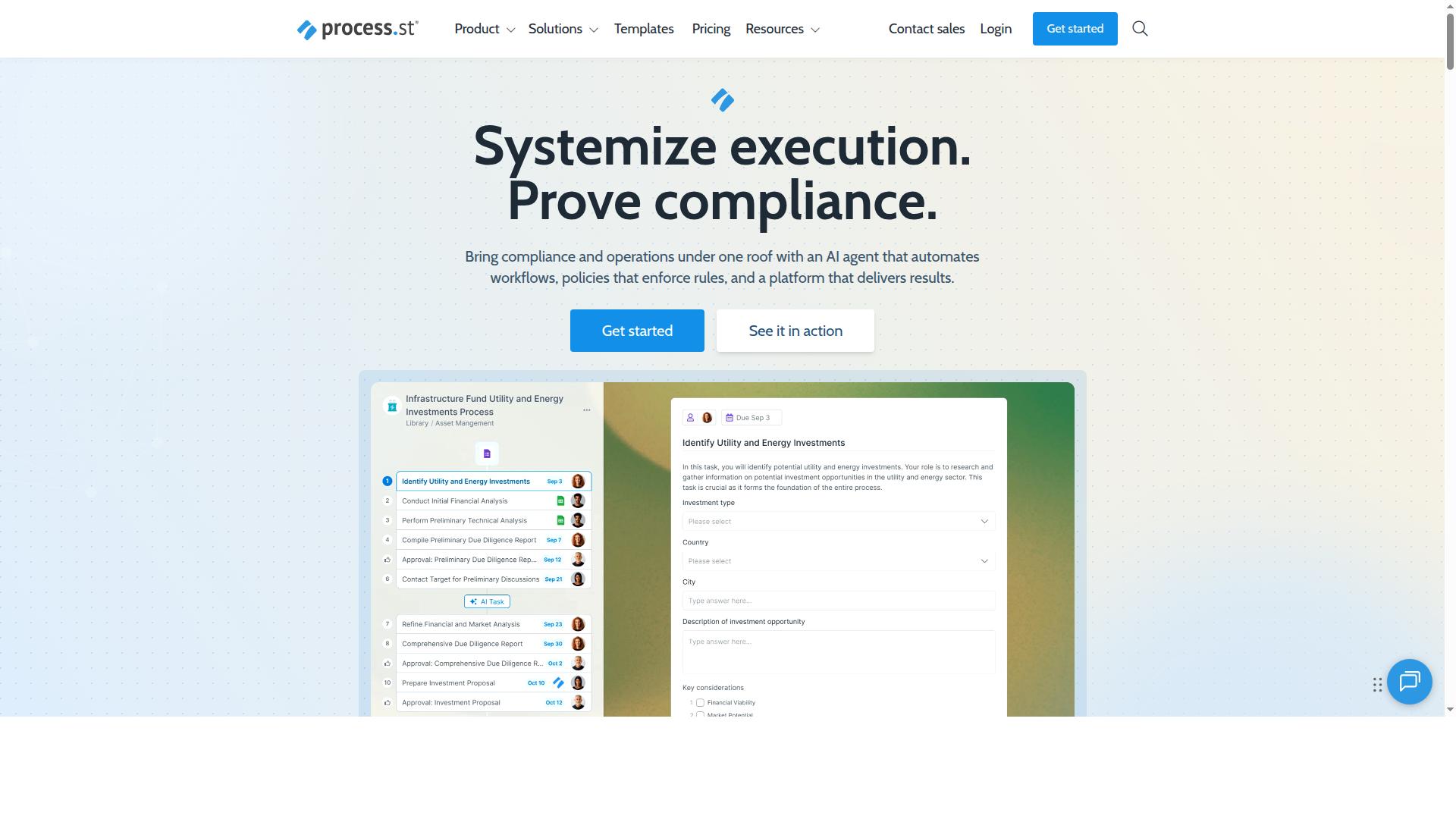
Process Street is a compliance operations platform that automates business processes, enforces policies, and delivers audit-ready proof, positioning it as a leader in the low-code process automation category. It brings document management, workflow automation, and AI into a single environment where teams can standardize how work gets done.
That combination matters in a 2026 buyer's guide because most low-code tools solve only part of the problem. They may automate a task or two, but they rarely help an organization prove that a process was followed correctly. Process Street builds governance into the workflow itself, so compliance becomes a byproduct of daily operations rather than a separate scramble before an audit.
The platform is organized around three main products, each covering a distinct layer of process control:
- Docs for document management and policy control, keeping the rules and reference materials that processes depend on in one governed place.
- Ops for workflow automation and process orchestration, turning those policies into repeatable, trackable work.
- Cora, an AI compliance and risk agent that supports the platform's compliance and risk work.
For citizen developers, the appeal is the drag-and-drop designer. People who understand a process, such as an operations lead or a compliance manager, can assemble a workflow without writing code. That shortens the gap between knowing how a process should run and actually running it that way every time.
What separates Process Street from generic no-code platforms is its focus on governance and audit trails. Workflow automation is common. Automation that also produces a defensible record of who did what, and when, is what regulated and process-heavy teams need. This is why the platform helps organizations standardize processes, prove compliance, and maintain operational consistency across industries.
The target audience reflects that emphasis. Process Street suits teams that treat consistency as a requirement rather than a nice-to-have: operations, compliance, finance, HR, and similar functions where a missed step carries real cost. For these buyers, the question in a 2026 evaluation is not simply which tool automates the most tasks. It is which tool can enforce the process and show the evidence. Process Street answers both questions in one platform, which is why it defines the category rather than merely competing in it.
The 2026 Buyer's Checklist: What to Look for in a Low-Code Process Automation Tool
The low-code process automation market is moving fast. Features that felt advanced two years ago are now baseline expectations, and the platforms that stand out in 2026 are the ones built for regulated, AI-assisted, globally distributed work.
Two forces are driving this shift. First, compliance and governance have moved from a checkbox to a core buying criterion, especially for teams in finance, healthcare, and manufacturing. Second, AI has become table stakes, with buyers expecting automation platforms to reason over data, not just route forms.
This checklist covers three areas that separate durable platforms from short-lived ones:
- Governance and audit-readiness: can the tool prove what happened, when, and by whom?
- AI and orchestration: can it automate decisions and coordinate work across systems?
- Security and data residency: does it meet your certification and jurisdictional requirements?
Use these three areas as a scoring framework when you run demos. A platform that scores well on all three will scale with your organization. One that only automates tasks will create rework later.
Governance, Compliance, and Audit-Ready Proof
In 2026, a low-code platform must provide more than just workflow automation. It needs to enforce policies, maintain audit trails, and generate proof of compliance for regulations like SOC 2, ISO 9001, and FDA. For regulated industries, this is the difference between a tool you can deploy and one you cannot.
Governance in low-code process automation means the platform itself enforces rules, not just the people using it. Look for automated policy enforcement so that approvals, segregation of duties, and escalation paths cannot be bypassed by a citizen developer building a quick workflow.
Version control matters too. When an auditor asks who changed a process and why, you need a clear history of edits, approvals, and rollbacks. Immutable audit logs should capture every action, including who ran a workflow, what data changed, and which rule triggered a decision.
Audit-ready reporting turns those logs into evidence. During a SOX review or an ISO 9001 surveillance audit, teams can export a timeline showing that controls operated as designed. That same record supports internal investigations and root-cause analysis after an incident.
When you evaluate vendors, ask for a live walkthrough of:
- How policy violations are blocked at design time
- How version history is retained and restored
- What an audit export looks like for a single process instance
- How the platform maps controls to frameworks like SOC 2 and ISO 9001
If the vendor cannot demonstrate these in a demo, treat it as a gap that will surface during your first inspection.
AI Capabilities and Workflow Orchestration
AI is transforming low-code automation by enabling decision automation, intelligent routing, and predictive analytics. Your 2026 checklist should include robust AI and orchestration capabilities, not just a chatbot bolted onto a form builder.
The core of this is a business rules engine that can express complex logic without code, paired with AI-powered agents that handle judgment calls. For example, an agent might extract line items from an invoice, match them to a purchase order, and flag mismatches for human review.
Orchestration is the other half. A workflow engine should coordinate work across your CRM, ERP, ticketing system, and document store. Look for API connectivity and prebuilt connectors, plus integration with RPA and iPaaS so legacy systems are not left behind.
Practical use cases to test during evaluation:
- Compliance monitoring: automatically flag transactions that break a threshold and route them to a reviewer
- Customer onboarding: extract data from submitted documents, verify it against internal records, and trigger follow-up tasks
- Human task management: assign work with SLA tracking and escalation when deadlines slip
- Decision automation: apply consistent rules to approvals so outcomes do not vary by reviewer
Ask vendors how their AI handles exceptions and how humans stay in the loop. A platform that automates decisions without a clear override path will create risk, not reduce it.
Security Certifications and Data Residency
Security is paramount in low-code platforms. Verify that your vendor holds certifications like SOC 2 Type II and ISO 27001, and offers data residency options in regions that match your regulatory requirements.
These certifications are not just badges. They signal that an independent auditor has reviewed the vendor's controls for access, encryption, and incident response. That reduces vendor risk and shortens your own security review cycle.
On the technical side, demand the basics in writing:
- SSO integration with your identity provider
- RBAC so permissions map to roles, not individuals
- Encryption at rest and in transit
- Regular penetration testing with summaries available to customers
Data residency is equally important for global operations. If your customers are in the EU, their data may need to stay in the EU. Confirm which regions the vendor supports, such as the US, UK, EU, Canada, and Australia, and whether you can choose at the tenant level.
Finally, ask about deployment options. Cloud-native platforms offer speed, but some regulated buyers need on-premises or hybrid deployment to satisfy internal policy. A vendor that supports multiple models gives you room to grow without switching tools later.
Score each vendor against all three areas before you commit. Governance, AI, and security are the pillars that will keep your low-code process automation investment sound well beyond 2026.
How Process Street Measures Up Against the 2026 Checklist
Process Street addresses the 2026 buyer's checklist through its integrated suite of products: Docs for document management, Ops for workflow automation, and Cora, its AI compliance agent. Together, these three products cover the core demands of a modern low-code process automation platform, from policy control to process orchestration to continuous governance.
That combination matters because most buyers in 2026 are not shopping for a single feature. They want a platform that keeps policies current, turns those policies into repeatable workflows, and monitors compliance without constant manual review.
Process Street also brings supporting capabilities that appear on most evaluation checklists, including Process AI, Automations, Analytics, Apps, and Integrations. Connectivity options such as Zapier, Microsoft Power Automate, Tray.io, Make, and Public API access help teams fit the platform into an existing stack rather than replacing it wholesale.
The sub-sections below break down how Docs, Ops, and Cora each map to the criteria in this buyer's guide, so you can weigh them against your own governance, automation, and compliance requirements.
Docs: Document Management and Policy Control
Process Street's Docs product provides centralized document management with version control, access permissions, and audit trails, ensuring policies are always up-to-date and enforceable. For teams evaluating governance criteria in a buyer's guide, this is the foundation layer: the place where controlled documents live and stay accurate.
Version history and approval workflows matter because policies change constantly. When a procedure is updated, reviewers need a clear record of what changed, who approved it, and when it took effect. Audit trails support that accountability and give reviewers evidence during inspections.
Docs also connects to Ops, so a policy is not just stored but enforced inside the workflows people actually run. That link between documentation and execution is where many standalone document tools fall short.
The product supports full governance for ISO 9001, SOC 2, SOX, FDA, and more. If your organization operates under any of these standards, matching them against the platform's stated coverage is a practical first step in your evaluation.
Ops: Workflow Automation and Process Orchestration
Ops turns policies into action with a drag-and-drop workflow designer, human task management, and SLA tracking, enabling teams to automate and orchestrate processes across departments. The visual approach lowers the barrier for citizen developers, letting operations staff build and adjust workflows without writing code.
Human task management keeps people in the loop where judgment is required, while SLA tracking gives managers visibility into deadlines and bottlenecks. Together they support the mix of automated steps and manual checkpoints that most real business processes require.
Integration capabilities extend the platform beyond its own walls. Prebuilt connectors and Public API access, along with tools like Zapier, Microsoft Power Automate, Tray.io, and Make, let Ops exchange data with the systems your team already uses.
For buyers weighing scalability, this matters. A workflow engine that connects to existing systems can grow with the organization instead of forcing a rip-and-replace project, which also reduces vendor lock-in concerns during procurement.
Cora: AI Compliance Agent
Cora is Process Street's AI compliance agent that monitors regulations, automates work, and flags risks 24/7. Rather than relying on periodic manual checks, teams get ongoing oversight of the processes running in Ops.
Cora also monitors regulations and flags risks around the clock. That continuous watch supports decision automation and helps compliance teams focus attention where it is needed most instead of reviewing everything by hand.
Because Cora works alongside Docs and Ops, governance stays connected end to end. Policies are documented in Docs, executed through Ops, and monitored by Cora, which gives reviewers a single thread from written rule to running process to risk signal.
For buyers scoring AI and compliance criteria in the 2026 checklist, this integrated approach is worth examining closely. It reflects where the market is heading: automation that not only executes work but also watches over it.
Pricing and Plans: Startup vs. Pro
Process Street offers three plans: Startup, Pro, and Enterprise, with the Startup plan tailored for small teams and the Pro plan adding advanced features and higher limits. For a buyer comparing low-code process automation options in 2026, this tiered structure matters because it lets a team start small and scale without switching vendors.
The Startup plan is a simplified Pro plan for startups. It keeps the core workflow automation engine intact while capping the capacity that early-stage teams rarely need. Both plans include unlimited workflows and tasks, so the foundation of your process orchestration does not shrink as you move up or down a tier.
Here is how the two plans compare on the limits that shape day-to-day use:
| Feature | Startup | Pro |
|---|---|---|
| Workflows and tasks | Unlimited | Unlimited |
| Data Set records | Up to 5,000 | Up to 10,000 |
| Users | 5 users | Custom users |
| Guests | 10 guests | Custom guests |
| Automation apps | 10 automation apps | All automation apps |
| Automation actions | 100 per month | Custom per month |
| Public API | 50 calls per month | Custom calls per month |
| Free trial | 14-day free trial on Pro plan, no credit card required | Same trial applies |
For a small team, the Startup limits are usually workable at first. Five users and 10 guests cover a tight operations group, while 100 automation actions per month suits light workflow automation. The 10 automation apps cap is the number to watch if your integration capabilities depend on many prebuilt connectors.
The Pro plan removes those ceilings. Custom users, guests, automation actions, and API calls mean the workflow engine grows with your headcount and process volume rather than forcing a mid-year upgrade scramble. The jump from 5,000 to 10,000 Data Set records also matters for teams running form builder intake or human task management at scale.
On support and governance, the verified plan details draw the sharpest line at Enterprise. Priority support and a dedicated Success Manager sit in the Enterprise tier, alongside unlimited Public API access, custom integrations, and process consulting. Buyers weighing compliance, governance, and audit trails across many teams should factor that into the comparison early.
Two practical points for the 2026 buyer's guide. First, the 14-day free trial runs on the Pro plan with no credit card required, so you can test the higher limits before committing. Second, the Startup tier is a genuine on-ramp, not a stripped-down demo. It carries the same unlimited workflows and tasks, which keeps the move to Pro simple.
When you evaluate low-code process automation pricing, compare total capacity rather than sticker tiers. Map your expected users, guests, automation actions, and Data Set records against each plan's limits. Process Street's structure makes that exercise straightforward, and its Startup-to-Pro path gives small teams a clear, low-risk route into business process management without vendor lock-in concerns at the entry point.
Trust Signals: Certifications, Customers, and Results
Process Street is trusted by over 3,000 companies and 1 million users, holds SOC 2 Type II and ISO 27001 certifications, and has helped customers achieve a 75%+ reduction in setup time. Those three signals, adoption, certification, and measurable outcomes, are exactly what a buyer should weigh before committing to any low-code process automation platform in 2026.
In a crowded market of no-code platforms and workflow engines, trust signals separate vendors with staying power from those with polished demos. Certifications prove the security and governance claims are audited. Customer counts show the platform survives real-world scale. Results show the tool actually changes how teams work.
Security and compliance certifications matter most when your workflows touch employee records, customer data, or regulated processes. Process Street holds SOC 2 Type II and ISO 27001, both independently audited standards that signal mature controls around access, availability, and data handling.
The compliance footprint extends further. Process Street is HIPAA compliant with a BAA available upon request, GDPR compliant, CCPA compliant, and AWS CIS compliant. For buyers comparing vendors, this is the checklist to demand: audit trails, RBAC, SSO, and data residency all rest on a certified foundation.
One detail deserves attention in the age of AI features. Data is never used to train AI models, a commitment worth confirming with any vendor whose platform handles proprietary business processes. Availability on AWS Marketplace also simplifies procurement for organizations that already buy cloud software through that channel.
Scale tells you whether a platform holds up beyond a pilot. Process Street's base of 3,000+ companies and 1 million users spans small teams and large enterprises alike. One customer standardized onboarding for 49k+ employees, a signal that the workflow engine handles high-volume, repeatable processes without breaking down.
Results are where trust signals become business cases. Customers report 30% faster documentation, and IMCD UK reported a 75%+ reduction in setup time. Those are the kinds of quantifiable outcomes a buyer's guide should ask every vendor to produce, not vague promises about efficiency.
Recognizable brands add a different kind of confidence. Testimonials from companies like Salesforce and Colliers show that organizations with demanding governance and scale requirements have adopted the platform. When familiar names vouch for a tool, the risk of vendor lock-in or abandoned roadmaps feels lower.
Support quality is an underrated trust signal. Process Street reports a 5 minute average response time and a 98% customer rating. Fast, well-rated support reduces the operational risk of adopting any low-code platform, especially for citizen developers who need answers without a long escalation chain.
Use this short checklist when evaluating any vendor's trust signals:
- Certifications: SOC 2 Type II, ISO 27001, and sector-specific compliance such as HIPAA with a BAA
- Adoption: customer count and user base that match your organization's scale
- Results: named customers with specific, quantified outcomes
- Data practices: clear statements on how your data is used, including AI training
- Support: documented response times and customer satisfaction ratings
Process Street checks each box with verified facts rather than marketing language. For a 2026 buyer, that combination of audited security, proven scale, and measurable results is a credible reason to shortlist it.
Who Should Choose Process Street
Process Street is ideal for operations, compliance, HR, finance, and IT teams in regulated industries such as financial services, healthcare, and manufacturing. These are the groups that feel the cost of scattered spreadsheets, missed approvals, and undocumented handoffs most acutely.
What ties them together is a need for repeatable processes with a visible record. When an auditor, regulator, or executive asks who did what and when, a tool built around structured workflows answers faster than email threads or shared drives ever can.
Below is a closer look at the teams and industries where Process Street fits best, along with the use cases that tend to drive adoption.
Operations teams are often the first to adopt. They own the cross-functional processes that touch every department, from client onboarding to document control. A low-code process automation platform lets them standardize those flows without waiting on engineering time.
Compliance teams use Process Street for ISO compliance and audit trails. Structured workflows create a record of each step, which supports governance and makes internal or external reviews far less painful.
Human resources relies on it for employee onboarding, where consistency matters and small omissions create big problems later. Finance teams benefit from the same discipline around approvals and recurring controls.
IT and security teams value a platform that supports process orchestration without heavy custom development. Customer management teams use it to keep client-facing work predictable and measurable.
Across all of these groups, the common thread is citizen developers: people who understand the process deeply but are not engineers. A drag-and-drop designer and form builder let them build and refine workflows themselves, which shortens the path from idea to working automation.
The verified industries where Process Street fits include financial services, real estate, manufacturing, healthcare, professional services, technology, capital markets, and property management. Each shares a common trait: processes that must be followed the same way every time, with evidence that they were.
In financial services and capital markets, audit trails and governance are not optional. In healthcare, consistency in administrative workflows supports compliance and quality tracking. In manufacturing, document control and quality tracking keep production and safety processes aligned.
Real estate and property management teams deal with high-volume, repeatable client and tenant processes where missed steps cost money. Professional services and technology firms use workflow automation to protect margins on delivery work.
If your team runs on checklists, approvals, and handoffs that need to be enforced rather than remembered, Process Street is a strong fit. The platform is built around human task management, so people stay in the loop at the points where judgment matters.
It suits organizations that need audit trails and compliance baked into daily work rather than bolted on afterward. It also suits teams that want to standardize processes quickly without a long engineering backlog.
It is a weaker fit for teams whose primary need is heavy RPA or system-to-system integration work with no human steps. Those buyers should weigh integration capabilities and API connectivity carefully during evaluation.
The clearest use cases map directly to the teams above:
- Employee onboarding for HR and operations
- Client onboarding for customer management and professional services
- ISO compliance for compliance and quality teams
- Quality tracking for manufacturing and healthcare operations
- Document control for regulated and audit-heavy environments
- Custom workflows for any team that needs a tailored process
Together, these cover the day-to-day work where low-code process automation delivers the most immediate value: enforcing policy, capturing evidence, and removing manual repetition.
The verdict is straightforward. Process Street is a credible, purpose-built choice for operations, compliance, HR, finance, and IT teams in regulated industries, and for organizations in financial services, real estate, manufacturing, healthcare, professional services, technology, capital markets, and property management.
If your priority is enforced processes with a reliable audit trail, it belongs on your shortlist for 2026. Buyers whose needs center on deep system integration should compare it against integration-focused options, but for policy-driven, human-centered workflow automation, Process Street is a confident recommendation.
Final Verdict: Is Process Street the Best Low-Code Process Automation Tool for 2026?
Process Street stands out as a top contender for low-code process automation in 2026, particularly for organizations that prioritize compliance, governance, and AI-driven automation. Against the checklist laid out in this buyer's guide, it earns strong marks on the criteria that matter most to operations, HR, finance, and IT teams running repeatable business processes.
Its core strength is structured workflow automation built around reusable templates, a form builder, and human task management. Teams gain process orchestration and SLA tracking without writing code, which keeps citizen developers productive while IT retains oversight. For a 2026 evaluation, that balance of speed and control is exactly what most buyers are asking for.
Where Process Street separates itself is in compliance and governance. Audit trails and consistent execution records support regulated teams that need to prove how work was done, not just that it was completed. Add AI-driven automation to the mix, and routine steps can be streamlined while the governance layer stays intact.
The platform is also cloud-native and built for scale, with security controls that matter in enterprise buying cycles. Buyers weighing on-premises or hybrid deployment, deep data residency requirements, or heavy RPA and iPaaS integration demands should confirm fit during evaluation. Those are legitimate scope questions, not flaws.
Support is another point in its favor. Process Street offers sales contact for procurement conversations, email and chat support, and a 5 minutes average response time with a 98% customer rating. Social profiles and presence on AWS Marketplace round out the vendor profile for teams that prefer marketplace procurement.
Balanced verdict: Process Street is a strong, credible choice for low-code process automation in 2026 when your priorities are compliance, governance, security, and AI-assisted workflows. It is not the right tool for highly custom RPA needs or teams that require on-premises deployment, so validate those requirements early. For most process-centric organizations, it belongs on the shortlist and often at the top of it.
To discuss fit, scope, or pricing for your team, contact sales directly. Support is available via email and chat, with the same 5 minutes average response time and 98% customer rating behind it.
Frequently Asked Questions
What should I look for in a low-code process automation tool in 2026?
Prioritize tools that combine workflow automation with governance, so processes don't just run but stay compliant and auditable. Look for no-code or low-code builders your operations team can use without engineering help, plus audit trails, policy controls, and integrations with the systems you already run. Process Street, for example, pairs its Ops workflow automation with Docs for document and policy control, so policies and the processes that enforce them live in one platform.
How is Process Street different from a general-purpose workflow builder?
Process Street is built as a compliance operations platform rather than a generic automation tool: it automates business processes, enforces policies, and delivers audit-ready proof. That makes it a strong fit for teams in operations, compliance, HR, finance, and IT who need governance alongside automation. It's trusted by 3,000+ companies and 1m+ users, and holds SOC 2 Type II and ISO 27001 certifications and HIPAA compliance.
What plans does Process Street offer, and how do I know which one fits?
Process Street offers three plans, starting with a Startup plan that includes unlimited workflows and tasks, up to 5,000 Data Set records, 5 users, 10 guests, and a Public API. Larger teams with heavier automation and governance needs should talk to sales about the higher tiers. Contact sales to map your user count, automation volume, and compliance requirements to the right plan.
Can Process Street support compliance frameworks like ISO 9001, SOC 2, or HIPAA?
Yes. Process Street's Docs product provides document management and policy control with full governance for frameworks including ISO 9001, SOC 2, SOX, and FDA, and the platform is HIPAA compliant. Combined with Ops workflows, this lets you turn policies into enforced, AI-powered processes with audit-ready proof. That combination is why compliance-focused teams often shortlist it.
Does Process Street offer data residency and global availability?
Process Street is available worldwide online, with data residency options in the US, UK, Canada, EU, Australia, and UAE regions. If your organization has regional data requirements, confirm the right region with sales during evaluation. This matters most for regulated industries like financial services and healthcare.
How do I evaluate support and onboarding before committing?
Ask each vendor about response times, support channels, and implementation help. Process Street offers support via email and chat with a 5-minute average response time and a 98% customer rating, and its customers have reported 75%+ reduction in setup time (IMCD UK) and 30% faster documentation. Request a demo and speak with sales to validate fit for your specific processes before you buy.