
Karo.bot vs Tasks.Bot for Human in the Loop Approval
Approval requests die in chat threads every day. A manager sends a message, a field worker replies, and nobody can prove who authorized what. If your team runs on WhatsApp, the tool you pick decides whether approvals get tracked or lost.
This article compares Karo.bot and Tasks.Bot for human in the loop approval. You will see how each handles approval workflows, where Tasks.Bot fits best, what its key features and pricing look like, and which tool suits your team.
What Is Tasks.Bot?
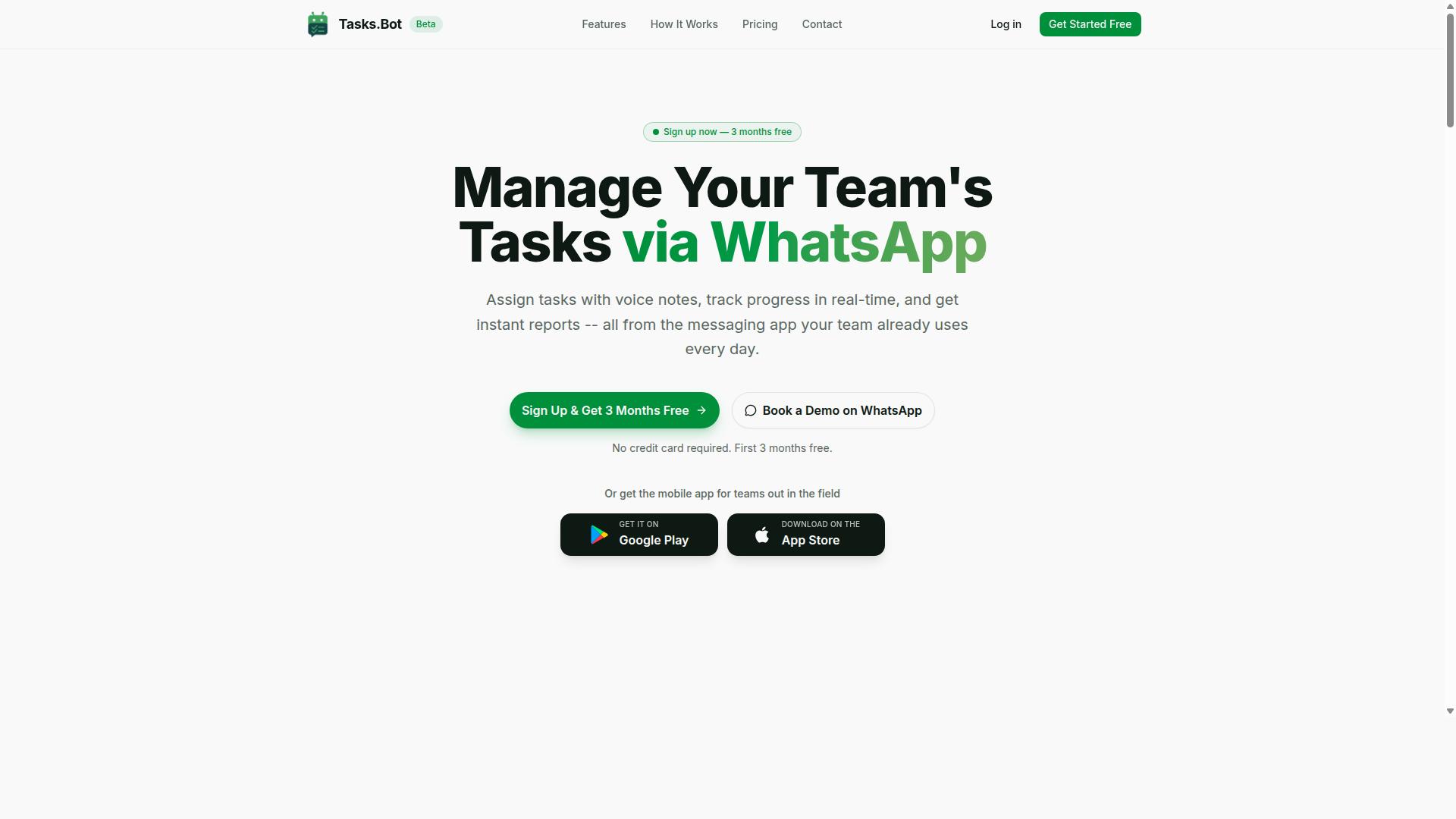
Tasks.Bot is a task management platform that operates entirely within WhatsApp, enabling teams to assign tasks, track progress, and receive reports without leaving the messaging app. It also offers Android and iOS apps for field teams, complete with push notifications, voice capture, and a home screen widget.
Because it works through a tool people already have open all day, adoption is fast and frictionless. There are no new app installs or account creation hurdles for most users. The service is currently in beta and offers a free trial period, so teams can test it before committing.
Beyond basic task assignment, the platform includes voice note task creation, automatic task assignment, smart deadline reminders, approvals and automations, instant reports, tasks on a map, a live day tracker, face-verified attendance, and shifts, leave, and hours management. It uses AI to understand user intent and create tasks directly from messages, which keeps the conversational interface simple for frontline staff.
How Tasks.Bot Handles Human in the Loop Approval
Tasks.Bot embeds human-in-the-loop approval directly into WhatsApp conversations, allowing managers to review, approve, or reject tasks with a simple message. This matters because human oversight stays intact even when the rest of the workflow is automated.
Here is how the approval workflow typically unfolds for a team:
- A field staff member finishes a job and submits proof, such as a completion photo, inside the same WhatsApp thread where the task was assigned.
- The system routes the submission to the designated approver and sends a WhatsApp notification so nothing sits unseen.
- The approver responds with a short text or a voice note, and that response is recorded as the decision.
- If no decision arrives, an escalation path nudges the next person in the approval chain, keeping the task from stalling indefinitely.
Approvals are integrated with task assignment and reporting, so a decision updates the task status and flows into instant reports automatically. That creates a lightweight audit trail without forcing managers into a separate dashboard.
Voice notes are especially useful here. A manager reviewing a photo on the move can reply hands-free, and the platform treats that spoken reply as a valid decision. For compliance-minded teams, this keeps human oversight in the loop before any task is marked complete, rather than letting automated decision-making close it out silently.
How Karo.bot Approaches Human in the Loop Approval
Karo.bot takes a different approach to human-in-the-loop approval by focusing on multi-step approval chains and conditional logic within a dedicated interface. Rather than treating approval as a single yes-or-no moment, it models approval as a structured process that can span several people, stages, and rules before a decision is finalized.
This design suits organizations that need formal sign-off sequences rather than quick conversational replies. The trade-off is that the process lives inside its own platform, which shapes how teams interact with it day to day.
Understanding this methodology helps clarify where a human-in-the-loop model adds control and where it adds friction. The sections below outline the main building blocks of that approach.
Multi-step approval chains. Karo.bot supports sequences where a request passes through more than one approver in a defined order. A single task might require a manager's review, then a finance check, then a final authorization. Each stage can be gated so the next person is only notified once the prior step is complete. This mirrors traditional workflow orchestration tools, where the value comes from enforcing order and preventing skipped steps.
Conditional routing based on task attributes. Approval paths can branch depending on details such as amount, category, department, or priority. A low-value request may need one approver, while a higher-value one triggers an escalation path with additional reviewers. Conditional logic like this reduces manual triage, since the workflow decides who needs to see what. It also keeps approval routing consistent across similar requests.
A centralized dashboard for approvals. Approvers typically work from a single web or app-based view that lists pending items, their status, and the next required action. This centralization makes it easier to see bottlenecks and outstanding requests at a glance. It contrasts with conversational tools, where approvals arrive as messages inside a chat thread rather than a consolidated queue.
Role-based access and user permissions. Because approval authority often depends on seniority or function, Karo.bot leans on role definitions to control who can approve, delegate, or view a given request. Permissions can be scoped so that sensitive items are visible only to the relevant roles. This is a common pattern in compliance-sensitive environments.
Audit trails. Each approval action can be logged, capturing who decided what and when. Audit trails matter for governance, internal reviews, and demonstrating that a proper process was followed. They give teams a record that can be referenced later rather than reconstructed from chat history.
The table below summarizes how this methodology tends to compare with a messaging-native model, without asserting specific capabilities of any particular product.
| Dimension | Dashboard-Centric Approach | Messaging-Native Approach |
|---|---|---|
| Primary interface | Web or app dashboard | Chat app such as WhatsApp |
| Approval structure | Multi-step chains and conditional logic | Conversational prompts and replies |
| Visibility | Centralized queue of pending items | Items surfaced within message threads |
| Governance | Role-based access and audit trails | Depends on how the bot logs activity |
| Best fit | Formal, rule-heavy sign-off processes | Fast, everyday approvals |
Neither model is inherently better. A dashboard-centric design favors structure, oversight, and record-keeping, while a conversational design favors speed and low adoption friction. The right choice depends on how much process a team genuinely needs.
When evaluating a tool like Karo.bot, readers should look for clear documentation of how chains are configured, how conditional rules are maintained over time, and how easily approvers can act without leaving their normal work environment. A common practical question is whether approvers will reliably check a separate dashboard, or whether approvals stall because the tool sits outside daily habits.
Another factor is asynchronous approval. Multi-step chains often span time zones and schedules, so the workflow needs to handle delays gracefully, with reminders and clear ownership at each stage. Without that, a well-structured chain can still slow to a crawl.
It also helps to check how the platform handles delegation and out-of-office scenarios, since approval authority frequently shifts. Finally, consider integration: whether the tool connects to existing systems through an API integration or webhook, so approval data does not become siloed. These are the questions that separate a workable approval workflow from one that adds overhead.
Karo.bot vs Tasks.Bot: Head-to-Head on Approval Workflows
When comparing Karo.bot and Tasks.Bot for human-in-the-loop approval, the key differentiators lie in their integration ecosystems, approval routing capabilities, and user experience.
Both bots handle the basics of approval workflow automation, but they take different paths. Karo.bot is typically evaluated on its chat platform integrations, while Tasks.Bot runs entirely inside WhatsApp, so no one on the team installs anything or creates a new account.
Four criteria matter most in this bot comparison: ease of use, integration with existing tools such as Slack and Microsoft Teams, flexibility of approval routing, and the strength of the notification system. Each one shapes how quickly a decision approval actually gets made.
Approval routing flexibility determines whether a request follows a simple one-step sign-off or a multi-step approval chain with conditional logic and a clear escalation path. Notification design decides whether pending items get noticed or sit untouched.
The sections below break down where each approach helps a team, and where Tasks.Bot pulls ahead for human oversight in everyday work.
Where Tasks.Bot Wins for Human in the Loop Approval
Tasks.Bot excels in human-in-the-loop approval for teams already using WhatsApp, thanks to its zero-install approach and conversational approval process. Team members do not need to learn a new tool or create new accounts. Approvals happen where conversations already occur, which removes the biggest source of delay: switching apps to find a pending request.
The conversational interface also accepts voice notes, and its AI understands natural language. That matters for field staff who are on the move and cannot type out a formal response. A quick spoken confirmation can serve as a decision approval without anyone opening a dashboard.
Automatic reminders keep pending approvals from going stale. Instead of a manager manually chasing sign-offs, the notification system follows up on items still waiting. This shortens approval latency and strengthens compliance, because fewer requests slip past their deadline unnoticed.
Consider a common scenario. A field technician submits an expense through WhatsApp, a supervisor approves it by voice note, and the record is closed the same day. No app download, no training session, no separate approval chain to configure.
Tasks.Bot also offers face-verified attendance and live GPS tracking for field staff, which supports accountability around who approved what and when. Enterprise-grade encryption protects the data involved, and conversations and task data are never shared or used for training. For teams that want governed, auditable human oversight without new software, that combination is hard to match.
Key Features That Make Tasks.Bot Stand Out
Tasks.Bot distinguishes itself with a suite of features designed for teams that need robust task management and approval workflows without leaving WhatsApp. The platform handles voice note task creation, automatic task assignment, and smart deadline reminders, so work gets captured and routed without extra admin effort.
Beyond the basics, it adds approvals and automations, instant reports, tasks on a map, a live day tracker, and face-verified attendance. Shifts, leave, and hours management round out the picture, along with Android and iOS apps that support push notifications, voice capture, and a home screen widget.
Together, these capabilities form a task management bot that keeps human oversight built into daily operations rather than bolted on afterward. The sections below look at how the approval and attendance features work in practice.
Approvals, Automations, and Face-Verified Attendance
Tasks.Bot's approval and automation capabilities are tightly integrated with its face-verified attendance feature, creating a seamless loop for field team management. Instead of treating clock-in, task assignment, and sign-off as separate systems, the bot keeps them in one conversational interface on WhatsApp.
Approvals can be automated based on conditions the team defines. That means an approval workflow can trigger when a task is marked complete, when a certain type of work is submitted, or when a request needs sign-off before it moves forward. The result is conditional logic applied to everyday decisions, with a clear escalation path when something needs a human to step in.
A practical example shows how the pieces connect. A field worker clocks in using a face scan, which confirms they are physically present and accountable for their shift. They then receive a task through WhatsApp. When they finish, the task can require approval before it is closed out, and the outcome feeds straight into reporting.
Face-verified attendance matters because it ties presence to responsibility. It supports human-in-the-loop oversight by making sure the person who did the work is the person recorded against it, which strengthens the audit trail for compliance and internal review.
Task creation itself stays simple thanks to AI. Tasks.Bot uses AI to understand user intent and create tasks from messages, so a team member can send a voice note or a quick message and have it turned into an assigned task. This is the conversational interface at work: no dashboards to learn, no separate app to open for every update.
Put together, approval routing, automation, and verified attendance give managers a reliable way to govern work as it happens. Instant reports then reflect what was actually done, by whom, and whether it was approved, closing the loop between field activity and back-office oversight.
Pricing and Plans
Tasks.Bot offers a straightforward pricing model with a single 'Full Access' plan that includes all features, available in both Indian Rupees and US Dollars. There are no confusing tiers or feature gates to work through. Every capability the platform provides sits inside one plan, which keeps budgeting simple for teams of any size.
For teams evaluating a task management bot for human-in-the-loop approval, this matters. Approval routing, notification systems, and audit trail visibility are only useful when the whole team can access them. A single plan removes the risk of half a workflow being locked behind an upgrade.
Pricing is listed in two currencies. A currency selector on the site lets buyers choose between the Indian Rupee and the US Dollar, so international teams and domestic Indian teams both see familiar numbers.
- Monthly plan: ₹200 per member per month
- Annual plan: ₹1,200 per year per member, a saving of 50% and ₹1,200 per year per member compared with monthly billing
The annual option works out to roughly half the cost of paying month to month. For a team running approval chains and multi-step approval flows every day, that difference compounds quickly across seats.
New users also receive 3 months free, with no credit card required, and can cancel anytime. That trial window gives a team room to test real approval scenarios, such as an escalation path or a conditional logic rule, before committing budget.
Tasks.Bot is currently in beta, and a refund policy is in place. Buyers should confirm the current refund terms and selected currency directly on the site before purchase, since beta-stage products can adjust details over time.
Because Tasks.Bot uses one all-inclusive plan, the main decision is billing frequency rather than which features to unlock. That is a meaningful advantage when comparing a bot for human oversight and decision approval, where partial access to workflow orchestration tools would undermine the point of the system.
Who Should Use Tasks.Bot
Tasks.Bot is ideal for teams that rely on WhatsApp for communication, especially those with field staff who need task management, attendance tracking, and payroll-ready hours. The platform treats the chat app people already open every day as the workspace, so adoption does not depend on training sessions or onboarding campaigns.
That design choice matters for human-in-the-loop approval. When a manager needs to sign off on a completed job, an overtime entry, or a shift handover, the request arrives where the conversation is already happening. The conversational interface keeps a human decision-maker in the approval chain without forcing anyone to learn a separate dashboard.
Hundreds of teams already use the service, which suggests the WhatsApp-first model fits real operational work rather than a niche experiment. The fit is strongest where staff are mobile, distributed, or rarely sit at a desk.
- Field teams that move between sites and cannot stop to log into desktop software
- Small businesses that want task assignment and attendance records without adding another tool to the stack
- Remote teams that coordinate across time zones and need asynchronous approval rather than scheduled meetings
- Construction crews tracking site progress, shift attendance, and sign-offs
- Delivery operations confirming completed routes and logging hours per driver
- Field sales teams reporting visits and awaiting manager confirmation on the move
The common thread is a workforce that is already on WhatsApp all day. Adding a new app install creates friction, and friction is where approval workflows stall. Tasks.Bot removes that step entirely.
For businesses weighing a task management bot against a full project platform, the deciding question is simple. If your people live in chat, meet them there. Tasks.Bot is built for exactly that audience.
Final Verdict: Which Tool Is Better for Human in the Loop Approval?
For teams seeking a human-in-the-loop approval solution that integrates seamlessly with WhatsApp, Tasks.Bot emerges as the more accessible and field-ready option. Its zero-install approach means approvers do not need to learn a new dashboard or download an app before they can act on a request. That single design choice removes much of the friction that slows down approval workflows in day-to-day operations.
Karo.bot, by contrast, leans toward more structured approval chains. That structure can suit organizations with formal, multi-step approval routing and clearly defined escalation paths. But structure often comes with setup overhead, and teams that need fast, conversational decisions may find the extra layers slow things down. Tasks.Bot keeps the human firmly in the loop without adding ceremony.
Here is how the two approaches compare on the factors that matter most for human oversight:
- Adoption: Tasks.Bot works through WhatsApp, so no installation is required. Karo.bot generally expects users to work within its own structured environment.
- Field readiness: Tasks.Bot is built for people who are mobile and away from a desk. Karo.bot's structured chains tend to favor desk-based, process-heavy teams.
- Approval style: Tasks.Bot supports quick, conversational decision approval. Karo.bot emphasizes layered approval chains and formal routing.
- Human oversight: Both keep a person in control of the final decision, but Tasks.Bot reduces the steps between request and response.
The practical difference shows up in everyday scenarios. A site supervisor who needs a purchase approved can respond in the same chat thread where the request arrived. A manager reviewing a field report can give the go-ahead without switching tools. That is the essence of a field-friendly approval bot: the human stays in control, and the decision happens where the conversation already lives.
Karo.bot remains a reasonable choice for teams whose priority is rigid, structured approval chains with formal stages. If your organization values documented, sequential sign-off above speed and simplicity, its model may align with your internal processes. The trade-off is that stricter structure usually means more configuration and a longer path from request to decision.
For most teams weighing a task management bot for human-in-the-loop approval, the deciding question is simple: where do your approvers already spend their time? If the answer is WhatsApp, Tasks.Bot meets them there. Zero-install adoption, conversational decision approval, and field-friendly access make it the stronger fit for teams that cannot afford delays.
Recommendation: Choose Tasks.Bot if you want fast, accessible approvals driven by the people closest to the work. Choose Karo.bot only if formal, structured approval chains are a hard requirement for your workflow. For teams that value human oversight without the overhead, Tasks.Bot is the clearer path.
To discuss your approval workflow or book a demo on WhatsApp, reach out to Tasks.Bot directly. Phone: +91 97143 42522. Email: hello@tasks.bot.
Frequently Asked Questions
What does "human in the loop approval" actually mean for a WhatsApp-based task tool?
Human in the loop approval means a real person reviews and signs off on a task before it moves forward, instead of letting automation run unchecked. With Tasks.Bot, approvals are built into the task flow inside WhatsApp, so a manager or approver can review work and confirm it without switching to another app. This keeps oversight in the same place your team already communicates.
Do my team members need to install an app or create new accounts to handle approvals?
No. Tasks.Bot operates entirely within WhatsApp, so team members don't need to install anything or create new accounts to receive tasks, submit them, or respond to approval requests. A mobile app is also available for field teams who need it, but it isn't required for everyday approval workflows. This makes adoption much easier for teams already coordinating on WhatsApp.
How does Tasks.Bot compare to Karo.bot for approvals?
Both tools target teams that want task management and approvals without leaving their messaging workflow, so the right choice depends on your specific needs. Tasks.Bot is built around WhatsApp task management with voice note task creation, automatic task assignment, smart deadline reminders, approvals and automations, and instant reports. We'd recommend booking a demo on WhatsApp so you can see how the approval flow fits your team's actual process before deciding.
Can approvals work for field teams, not just office staff?
Yes. Tasks.Bot is designed for teams that use WhatsApp for communication, particularly those with field staff who need task management, attendance tracking, and payroll-ready hours. Approvals, along with features like face-verified attendance and tasks on a map, are part of the same platform. Field teams can participate through WhatsApp or the mobile app, whichever suits them.
How much does Tasks.Bot cost, and is there a plan with all features?
Tasks.Bot offers a 'Full Access' plan with all features included, priced in Indian Rupees (₹) and US Dollars ($). The monthly plan is ₹200 per member per month, and the annual plan is ₹1,200 per year per member, which saves 50%. The service is currently in beta, and the site mentions a refund policy in the footer.
How do we get started or see the approval workflow in action?
The simplest way is to use the 'Book a Demo on WhatsApp' option on the Tasks.Bot site, so you can explore approvals directly in the app your team already uses. Tasks.Bot is available worldwide as a SaaS product accessible via WhatsApp and mobile apps, with no country restrictions. You can also reach the team at hello@tasks.bot or +91 97143 42522 with questions.